Custom Statuses
Article sections
You can create your own Custom Statuses and include a custom email template for the newly create status. Please follow these steps:
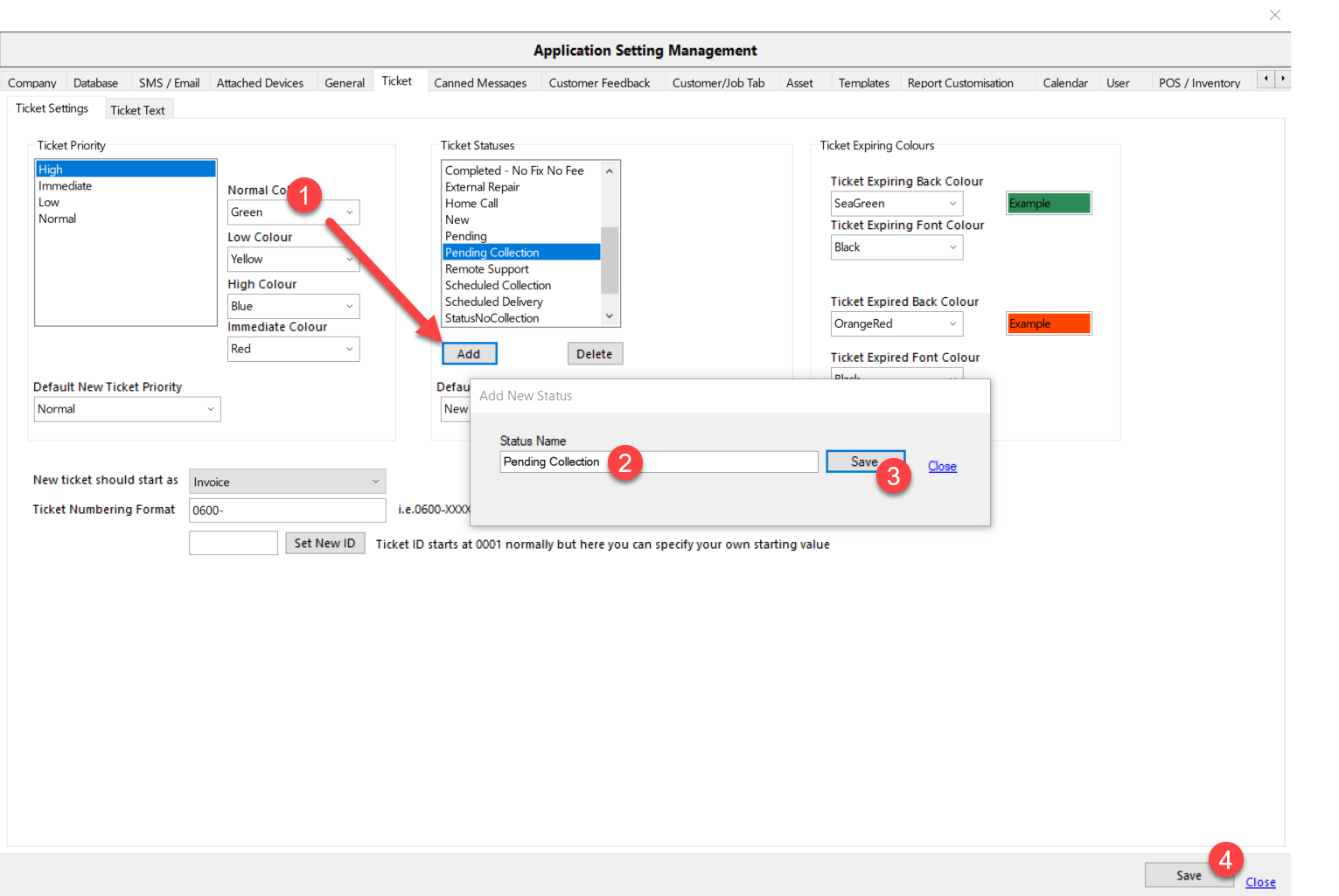
1. Create a new Status
2. Open User\Documents\CRS\Templates\ and create a new template (or copy an existing one).
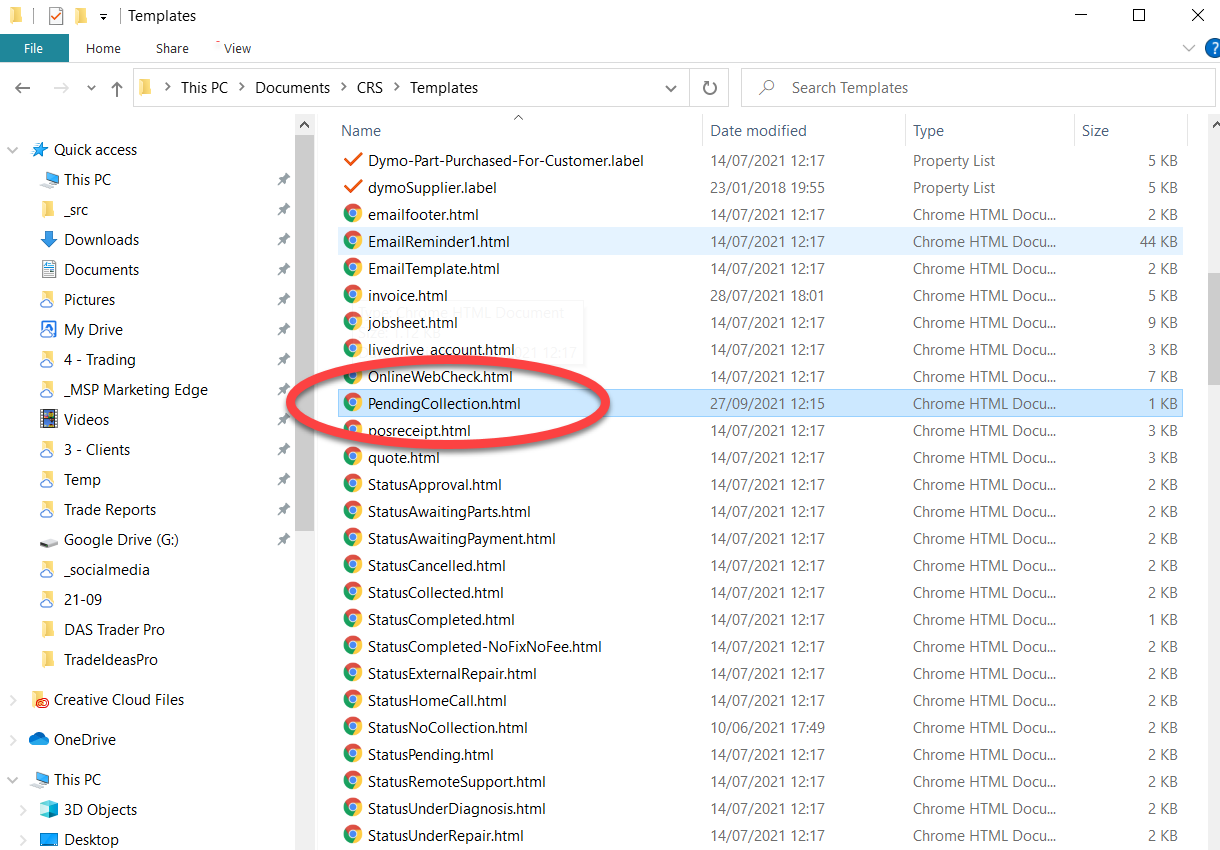
Important Note: the filename must match the Status name i.e. if you created a new status called “Pending Collection” then the filename must be “Pending Status.html” or “PendingStatus.html” (spaces in the status and filename are ignored).
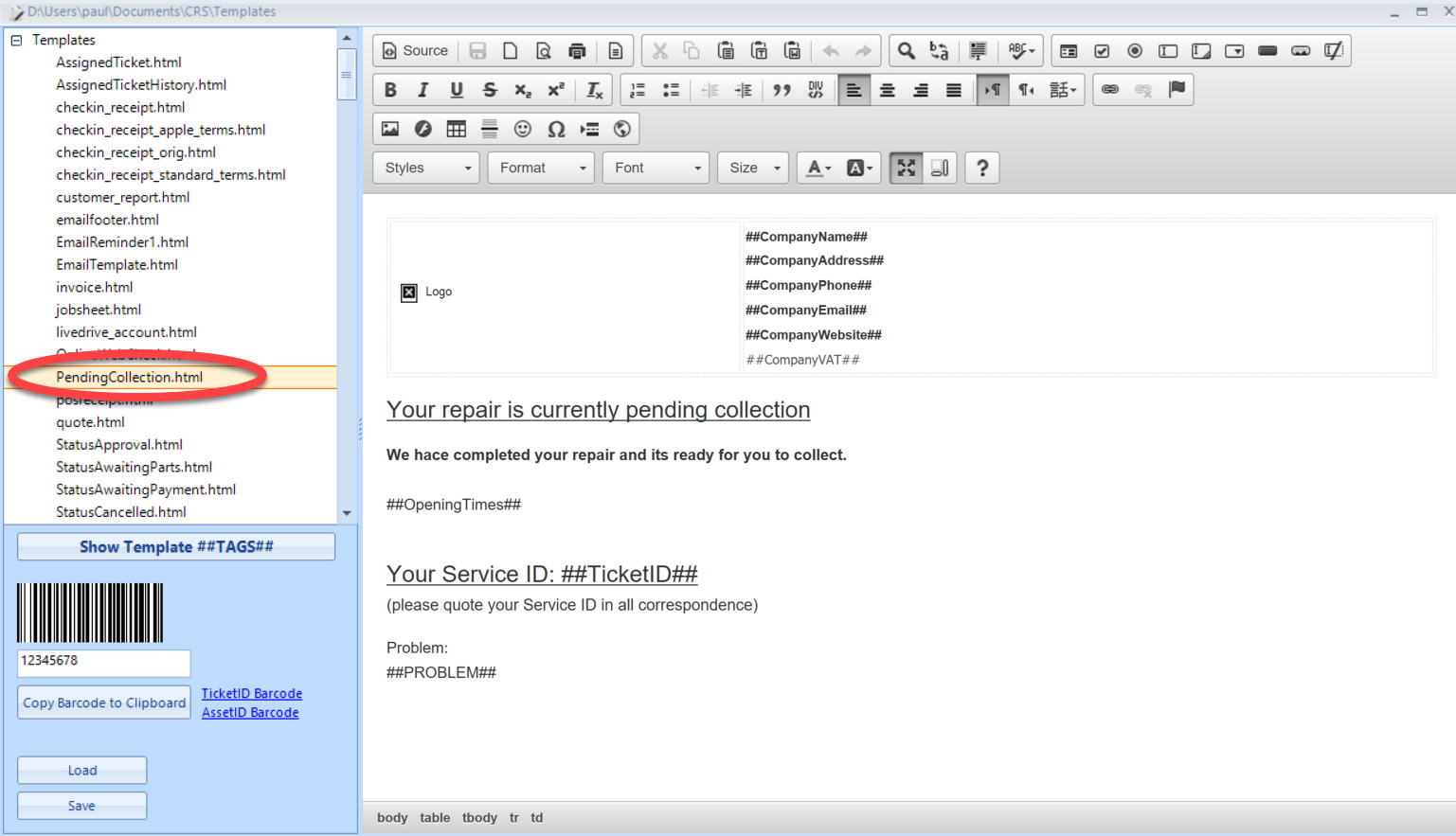
3. Open Template Edit via Tools menu to edit your new template.