
CRS v2.14.18116
Home › Forums › Computer Repair Shop Software (CRS) › Changelog › CRS v2.14.18116
- This topic has 0 replies, 1 voice, and was last updated 8 years, 4 months ago by
Paul Betteridge.
-
AuthorPosts
-
April 23, 2018 at 12:07 pm #6300
Paul Betteridge
Keymaster26-04-18 Update – We’ve disabled Chromium Webpages in the main GUI temporarily due to a bug on some machines not loading the correct dll. We suspect its an AV false positive and this is being worked on right now. An update has been released crs-v2.14.18116 to address this issue plus a some changes to the Reports Date Picker (you can select between stores (multi-store licenses only) and added Date Ranges i.e. This Week, Last Week, This Year, Last year etc).
Improvements
- Live Summary tab added to Home page (first Tab called Summary) to give you live daily stats
[caption id="attachment_6304" align="alignnone" width="778"]
 Live Summary[/caption]
 - CRS will Auto-Update directly from CRS (no need to download or uninstall first!).
[caption id="attachment_6309" align="alignnone" width="300"]
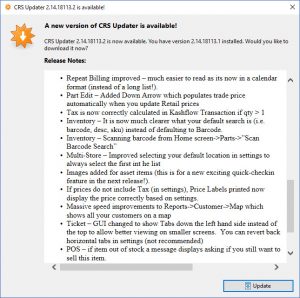 Auto Update[/caption]
 - Memory usage fixed – this was related to .net WebBrowser (IE) control being used and it would use RAM without releasing it back to the operating system, CRS would crash once it hit the 2GB .net assembly limit. Now uses Chromium control and now gives much better performance and displays ALL websites perfectly.
- Repeat Billing improved – much easier to read as its now in a calendar format (instead of a long list!).
[caption id="attachment_6328" align="alignnone" width="796"]
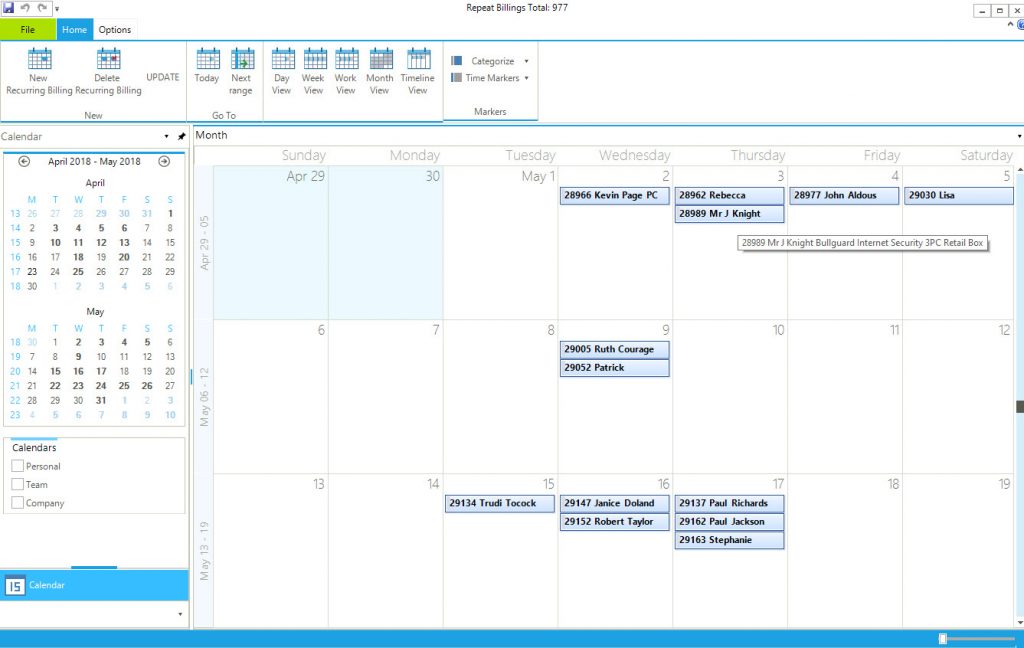 CRS Repeat Billing[/caption]
 - Part Edit – Added Down Arrow which populates trade price automatically when you update Retail prices
- Tax is now correctly calculated in Kashflow Transaction if qty > 1
- Inventory – It is now much clearer what your default search is (i.e. barcode, desc, SKU) instead of defaulting to Barcode.
- Inventory – Scanning barcode from Home screen->Parts->”Scan Barcode Search”
- Multi-Store – Improved selecting your default location in settings to always select the first int he list
- Images added for asset items (this is for a new exciting quick check-in feature in the next release!).
- If prices do not include Tax (in settings), Price Labels printed now display the price correctly based on settings.
- Massive speed improvements to Reports->Customer->Map which shows all your customers on a map
- Ticket – GUI changed to show Tabs down the left hand side instead of the top to allow better viewing on smaller screens. You can revert back horizontal tabs in settings (not recommended).
- POS – if item out of stock a message displays asking if you still want to sell this item.
- LiveStats – Device Manufacturer (i.e. Apple, Samsung etc) added
- Ticket->Job Tab – Custom Job fields added i.e if you wanted to add a Purchase Order number to the job. This can be turned off in settings.
- Lots and lots of bug fixes and improvements
- Live Summary tab added to Home page (first Tab called Summary) to give you live daily stats
-
AuthorPosts
- You must be logged in to reply to this topic.