Customer Satisfaction – Follow Up After repairs
Article sections
Customer Satisfaction is a really great way to follow up with customers on completion of their repair to ensure they are happy with the service. Not only does this generate you extra trust (and helps retain your customer as a repeat customer) but importantly this is a perfect opportunity to generate additional revenue from up-sales – all simply from calling the customer on completion of their repair to check if everything is ok.
This module makes contacting customers really easy.
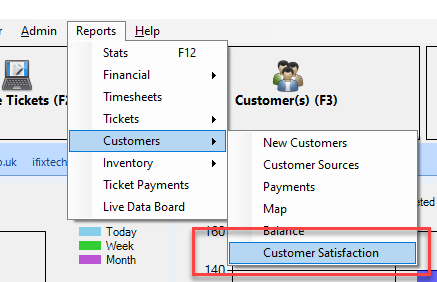
To get started open the Customer Satisfaction module from Reports->Customers->Customer Satisfaction:
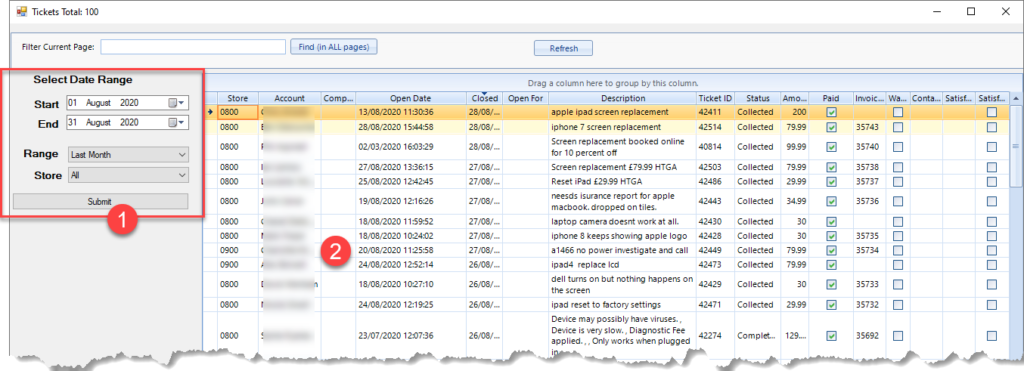
[1] Specify the date range (CRS defaults to the previous month).
[2] Double click a customer from the list.
Phone Script
You can create your own phone script (or modify the default one to your requirements) and this means every customer will be asked the same questions when you call:

Satisfaction Score
The satisfaction score is shown on the stars as a rating out of 10. Use this area to complete your customer notes and to follow up with an SMS message or email with a link to leave you a positive review.


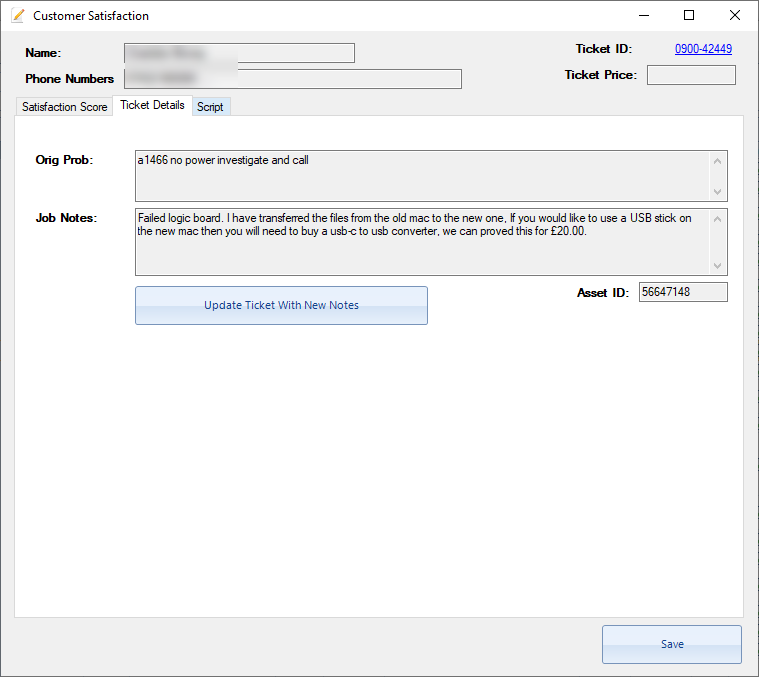
Ticket Information
Ticket information is also found in the “Ticket Details” tab to give you a quick overview of the job when you are speaking to a customer. You can click on the Ticket ID link in the top right corner to open the actual ticket.